When to use it
Encoding stays offline. Keep the four-module quiet zone and high contrast; hosts own navigation and scanning. Capacity errors retain the input value. See the native QRCode contract for correction levels and matrix APIs.
Render accessible offline QR codes from controlled Unicode values.
Native example
Encoding stays offline. Keep the four-module quiet zone and high contrast; hosts own navigation and scanning. Capacity errors retain the input value. See the native QRCode contract for correction levels and matrix APIs.
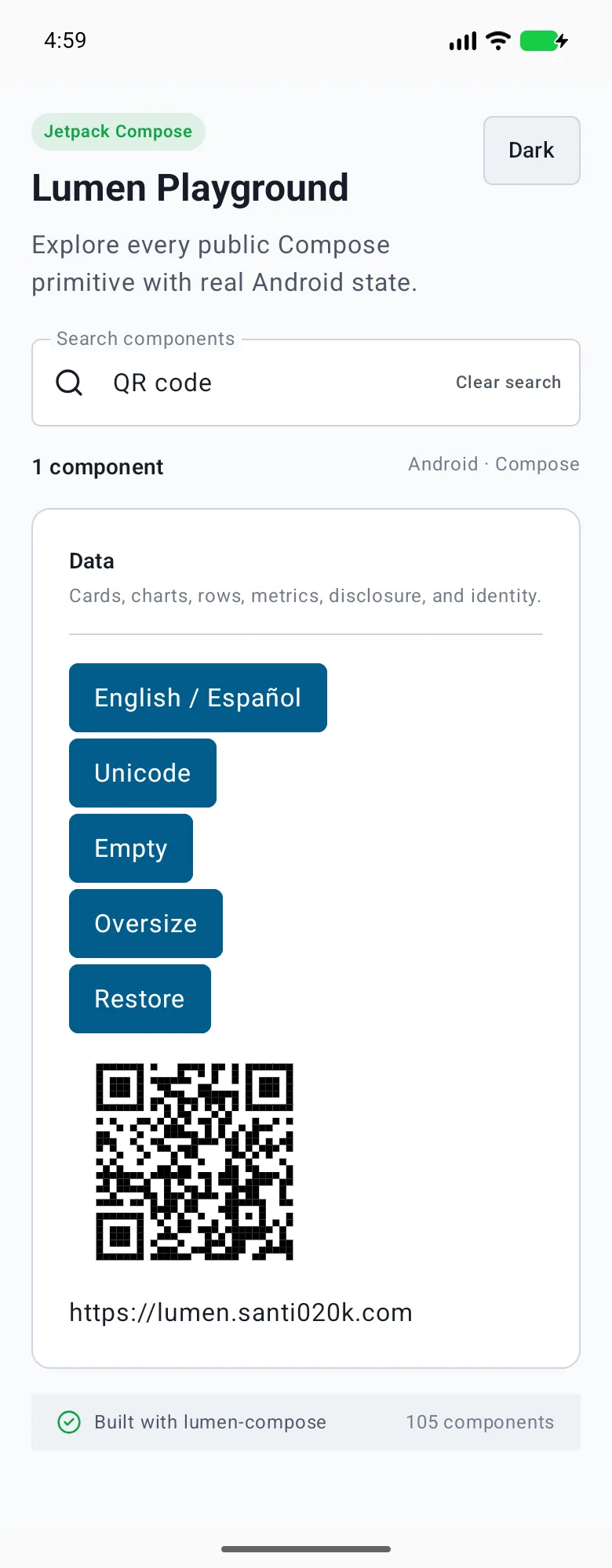
LumenQRCode(value = "https://lumen.santi020k.com", label = "Project link")Reference
The primary shared and platform-specific options exposed by LumenQRCode.
| API | Values or type | Default | Description |
|---|---|---|---|
| label / value | String / string | Required | Names and controls the locally encoded value. |
| size / quietZone | Numeric size / integer modules | 160 / 4 | Keeps a bounded image size and standards-compatible border. |
| correction / errorLabel / showValue | Platform correction enum / text / boolean | M / English error / true | Controls error correction and accessible recovery. |
Native behavior
Encoding stays offline. Keep the four-module quiet zone and high contrast; hosts own navigation and scanning. Capacity errors retain the input value. See the native QRCode contract for correction levels and matrix APIs.
Named image value, visible caption and localized error recovery with scanner-safe contrast.
Shared component