When to use it
Hosts own civil-day conversion and rescheduling. Timed overlaps occupy lanes with minimum touch rectangles; dense days scroll horizontally. Accessible move requests are available; pointer drag rescheduling is absent.
Present timed native day columns with all-day bands and overlap lanes.
Native example
Hosts own civil-day conversion and rescheduling. Timed overlaps occupy lanes with minimum touch rectangles; dense days scroll horizontally. Accessible move requests are available; pointer drag rescheduling is absent.
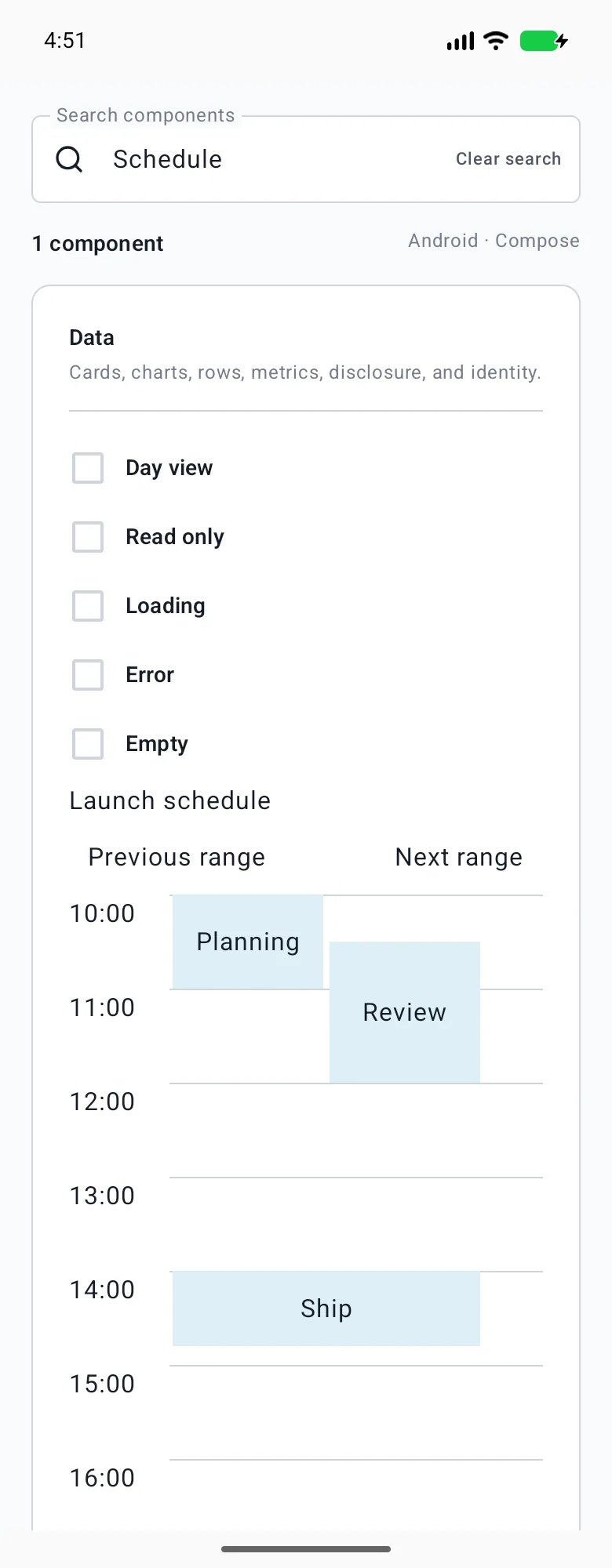
LumenSchedule("Project schedule", day, { day = it }, events)Reference
The primary shared and platform-specific options exposed by LumenSchedule.
| API | Values or type | Default | Description |
|---|---|---|---|
| selectedDay / events | Controlled civil day / LumenAgendaEvent records | Required | Controls the first day and host event dataset. |
| dayCount / startHour / endHour | Bounded integers | 7 / 8 / 18 | Sets a one-to-seven-day civil wall-clock window. |
| onEventPress / onEventMove | Optional callbacks | Static presentation | Requests host detail or rescheduling actions without dataset mutation. |
Native behavior
Hosts own civil-day conversion and rescheduling. Timed overlaps occupy lanes with minimum touch rectangles; dense days scroll horizontally. Accessible move requests are available; pointer drag rescheduling is absent.
Localized event day/time names, collision-safe native targets and accessible move controls.
Shared component