When to use it
Preserve missing measurements as null and provide a zero-inclusive domain. The application owns row ordering.
Compare two measurements per category with connected dots.
Apple availability
Import LumenUI in the target that uses this component. iPad support follows the iOS package baseline and uses native iPad layout behavior.
Native example
Preserve missing measurements as null and provide a zero-inclusive domain. The application owns row ordering.
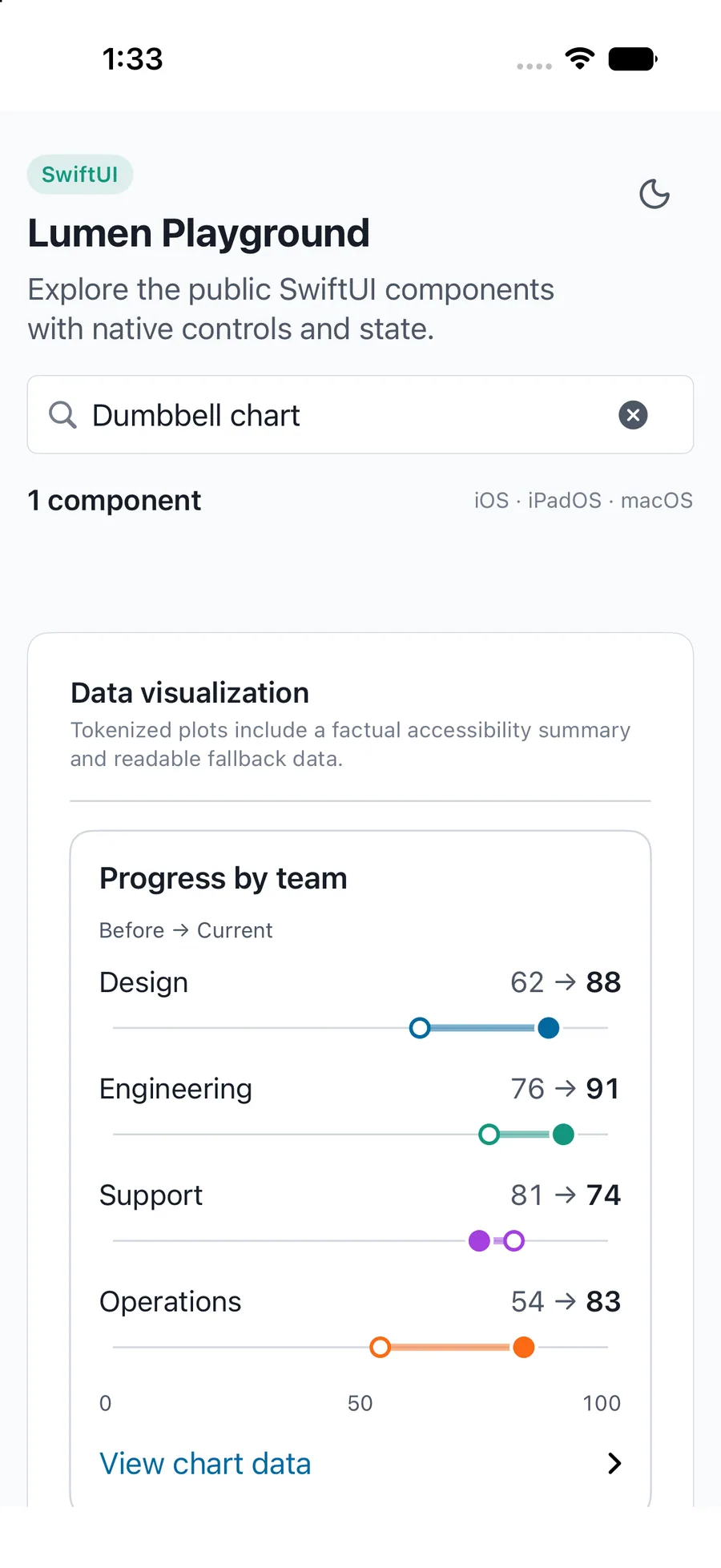
LumenDumbbellChart(
  data: [
    .init(id: "design", label: "Design", value: 88, reference: 62),
    .init(id: "support", label: "Support", value: 74, reference: 81)
  ],
  label: "Team scores, previous and current quarter",
  domain: 0...100,
  heading: "Progress by team",
  referenceLabel: "Previous",
  valueLabel: "Current"
)
Reference
The primary shared and platform-specific options exposed by LumenDumbbellChart.
| API | Values or type | Default | Description |
|---|---|---|---|
| data | LumenComparisonDatum[] | Required | Unique id, category label, nullable finite value, optional reference and tone. Input order is preserved. |
| label, heading, description | String | label required | Provides the accessible name and optional visible context. |
| domain | Finite numeric range | Automatic | Includes zero and all displayed measurements. React Native uses { min, max }; SwiftUI and Compose use closed ranges. |
| valueLabel, labels | Localized chart labels | English | Names the measure and localizes empty, missing, invalid, and disclosure text. DumbbellChart also accepts referenceLabel (Before). |
| formatValue / labels.formatValue | Number formatter | Platform default | React Native accepts formatValue; SwiftUI and Compose use labels.formatValue. |
| showData | Boolean | true | Provides the expandable exact values. |
Native behavior
Preserve missing measurements as null and provide a zero-inclusive domain. The application owns row ordering.
Keeps exact values available and uses filled and outlined dots for paired measurements.
Shared component