When to use it
Keep authentication and credential lifecycle in the application. Visibility is transient and never saved. Use newPassword for registration; provider autofill needs device configuration.
Enter passwords with transient visibility and native credential autofill hints.
Apple availability
Import LumenUI in the target that uses this component. iPad support follows the iOS package baseline and uses native iPad layout behavior.
Native example
Keep authentication and credential lifecycle in the application. Visibility is transient and never saved. Use newPassword for registration; provider autofill needs device configuration.
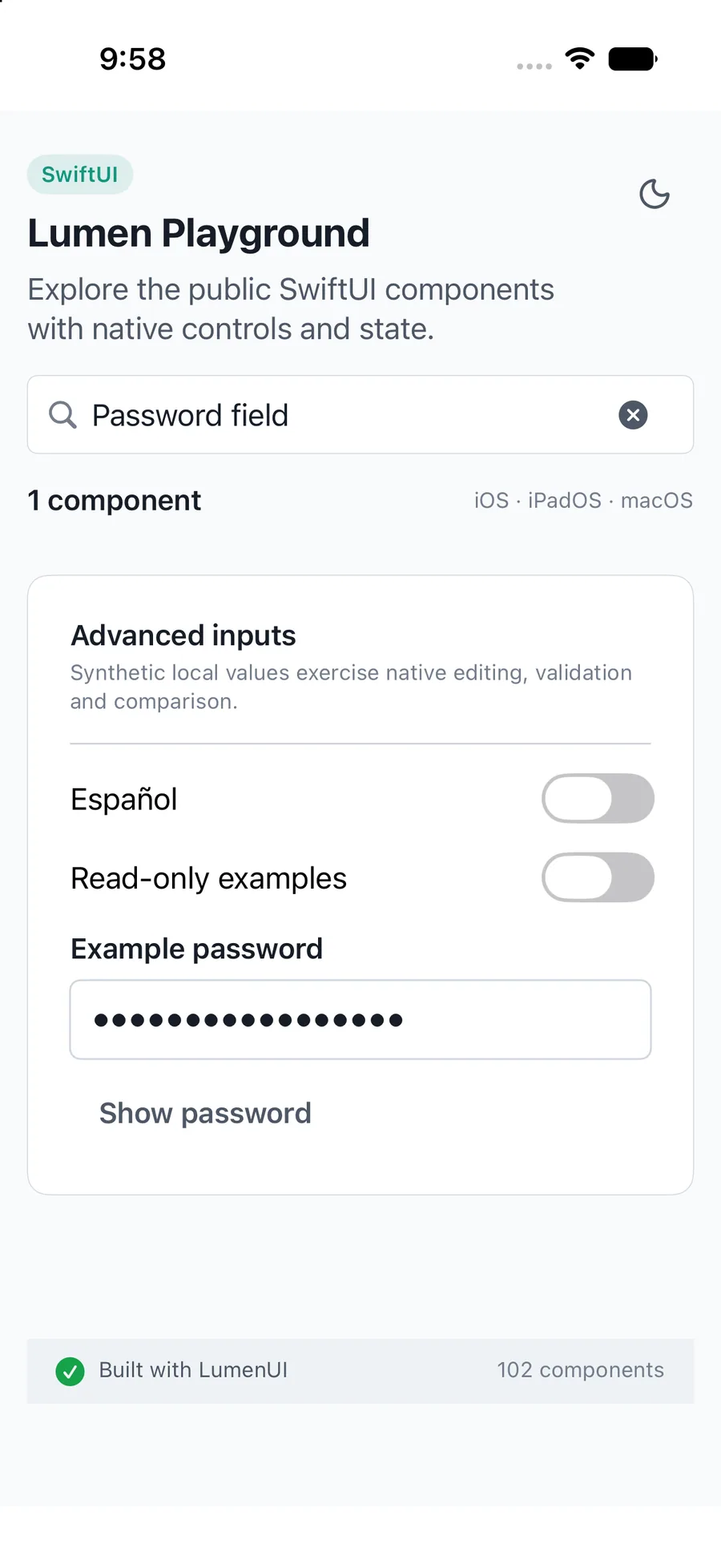
import LumenUI
import SwiftUI

struct RegistrationPassword: View {
    @State private var password = ""
    var body: some View {
        LumenPasswordField("Password", text: $password,
            showLabel: "Show password", hideLabel: "Hide password", newPassword: true)
    }
}
Reference
The primary shared and platform-specific options exposed by LumenPasswordField.
| API | Values or type | Default | Description |
|---|---|---|---|
| _ label / text | String / Binding<String> | Required | Names and controls secure entry. |
| showLabel / hideLabel | String | Show password / Hide password | Names visibility actions; visibility clears on blur or editing becoming unavailable. |
| newPassword | Bool | false | Selects native registration autofill hints where supported. |
| description / errorMessage | String? | nil | Provides localized supporting copy or host validation. |
| readOnly / .disabled(...) | Bool | false | Blocks editing; disabled state comes from the SwiftUI environment. |
Native behavior
Keep authentication and credential lifecycle in the application. Visibility is transient and never saved. Use newPassword for registration; provider autofill needs device configuration.
Preserves password semantics and native autofill hints; labels visibility actions and hides on blur or disabled state.
Shared component